Digital menus for restaurants: lunch, dinner and sold-out dishes without the headache
A menu of the day, a wine list, dishes that run out mid-service and guests from five countries. See how a QR code menu makes running a restaurant simpler.
In a restaurant, the menu is rarely just one menu. There is the lunch menu of the day, the dinner menu, the wine list, the dishes that run out halfway through service and the fish that changes with the morning's catch. A printed menu is out of date the day it leaves the print shop.
A digital menu with a QR code keeps pace with the kitchen. Here is how Menuyo helps restaurants every day, from the first lunch guest to the last one at dinner.
A menu for every service, without swapping anything by hand
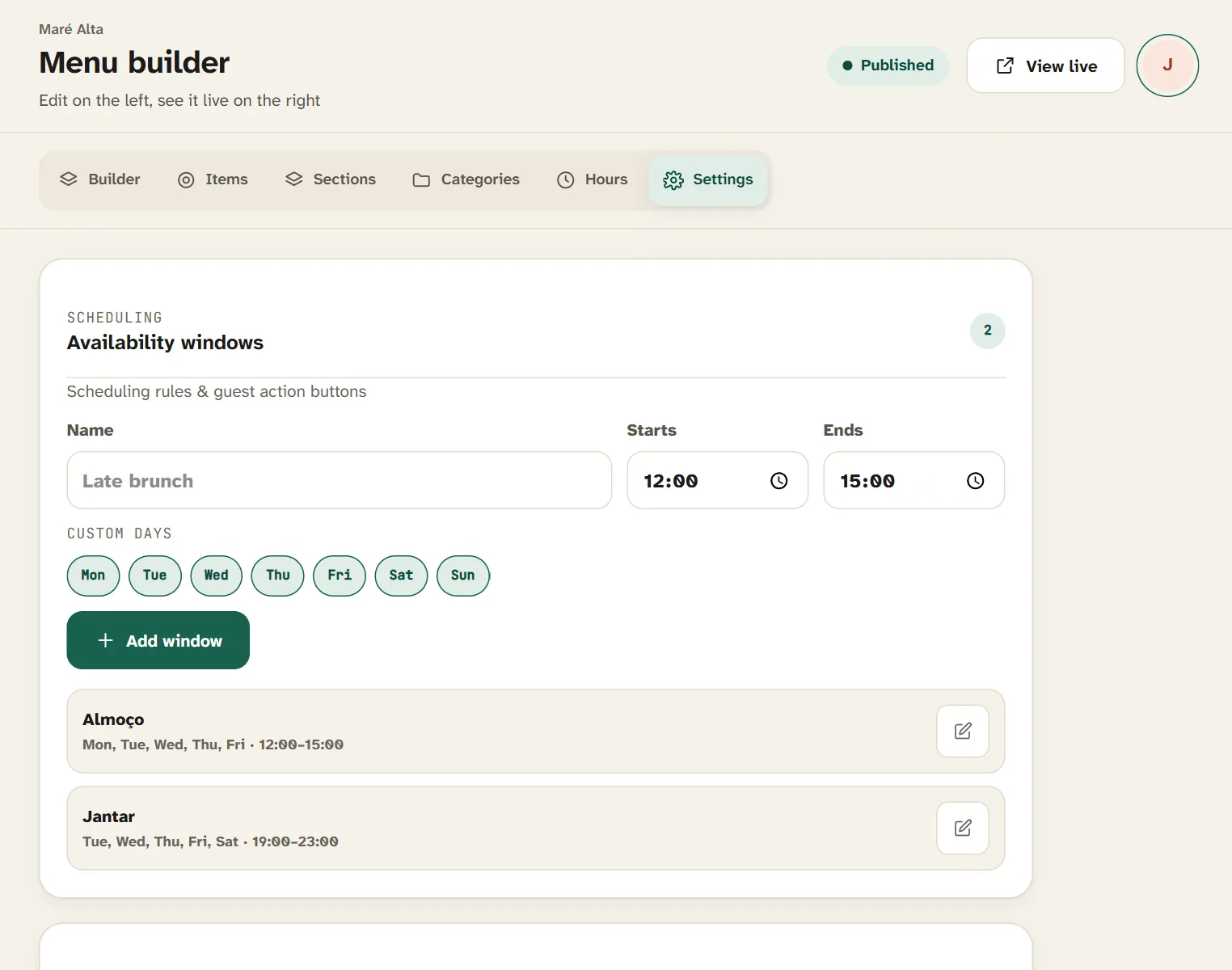
Under Settings, create availability windows — for example "Lunch" Monday to Friday from 12:00 to 15:00 and "Dinner" Tuesday to Saturday from 19:00 to 23:00. Then link each category, dish or special menu to the right window.
Availability windows: each part of the menu appears at the right time.
Guests only see what is available at that moment. The menu of the day disappears at three in the afternoon, and the seafood rice that is only served at dinner appears at seven. Nobody has to remember to change anything.
The menu of the day, without the chalkboard
Under Special menu, set up the menu of the day exactly as it is: soup, a main with two choices, dessert and a fixed price. Add a note ("Lunch, Monday to Friday"), link it to the lunch window and translate it into the menu's languages. It is highlighted at the top of the menu, where guests see it first.
The menu of the day is highlighted at the top of the guest menu.
Sold out? Guests know straight away
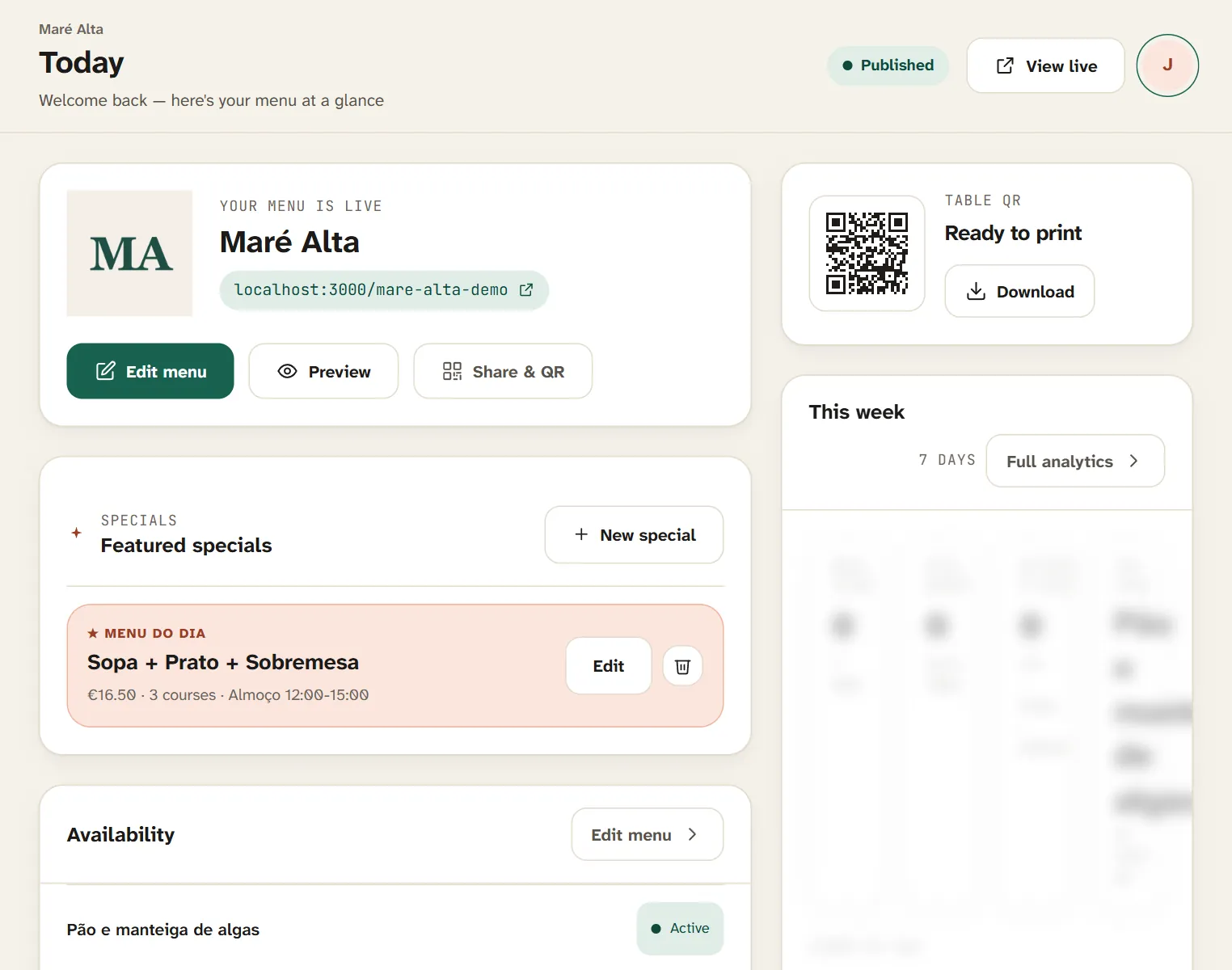
The Today screen brings together what matters during service. When a dish runs out, one tap marks it sold out: it stays on the menu, greyed out and labelled as sold out. Your staff stop hearing "what about the octopus?" and guests choose something else before calling anyone over.
Real-time sold-out dishes, from the Today screen.
Opening hours and public holidays
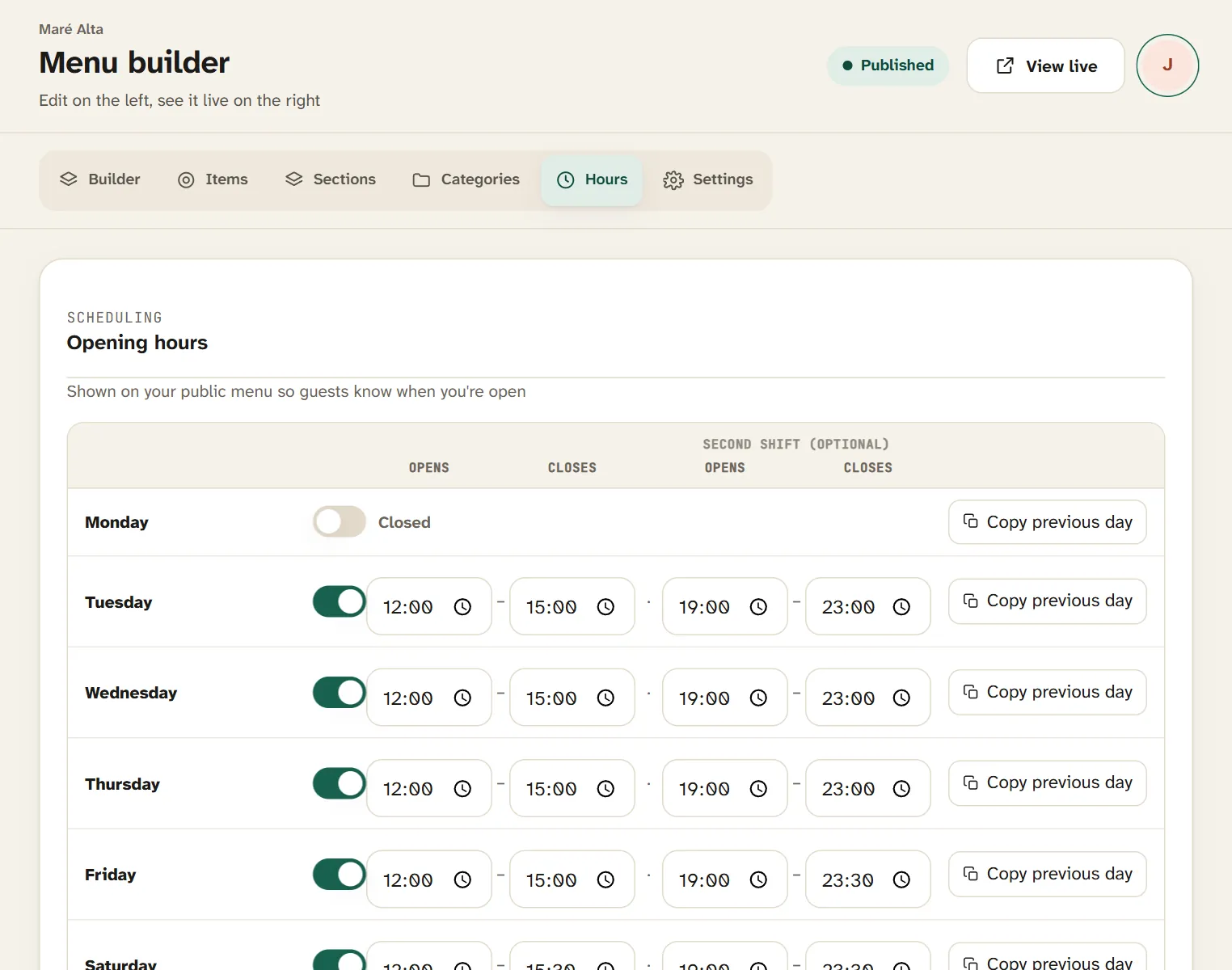
Under Hours, set each day's opening times, with two shifts if you need them, and separate hours for public holidays. The menu tells guests whether you are open right now.
Opening hours with two shifts a day and separate hours for public holidays.
A wine list by the glass and by the bottle
Every dish or drink can have more than one labelled price: glass and bottle, half and full portion, small and large. Mark wine and drink categories as drinks and, if the list is long, group everything into Sections — Food, Wine, Bar — so guests find what they want without scrolling forever.
Allergens and international guests
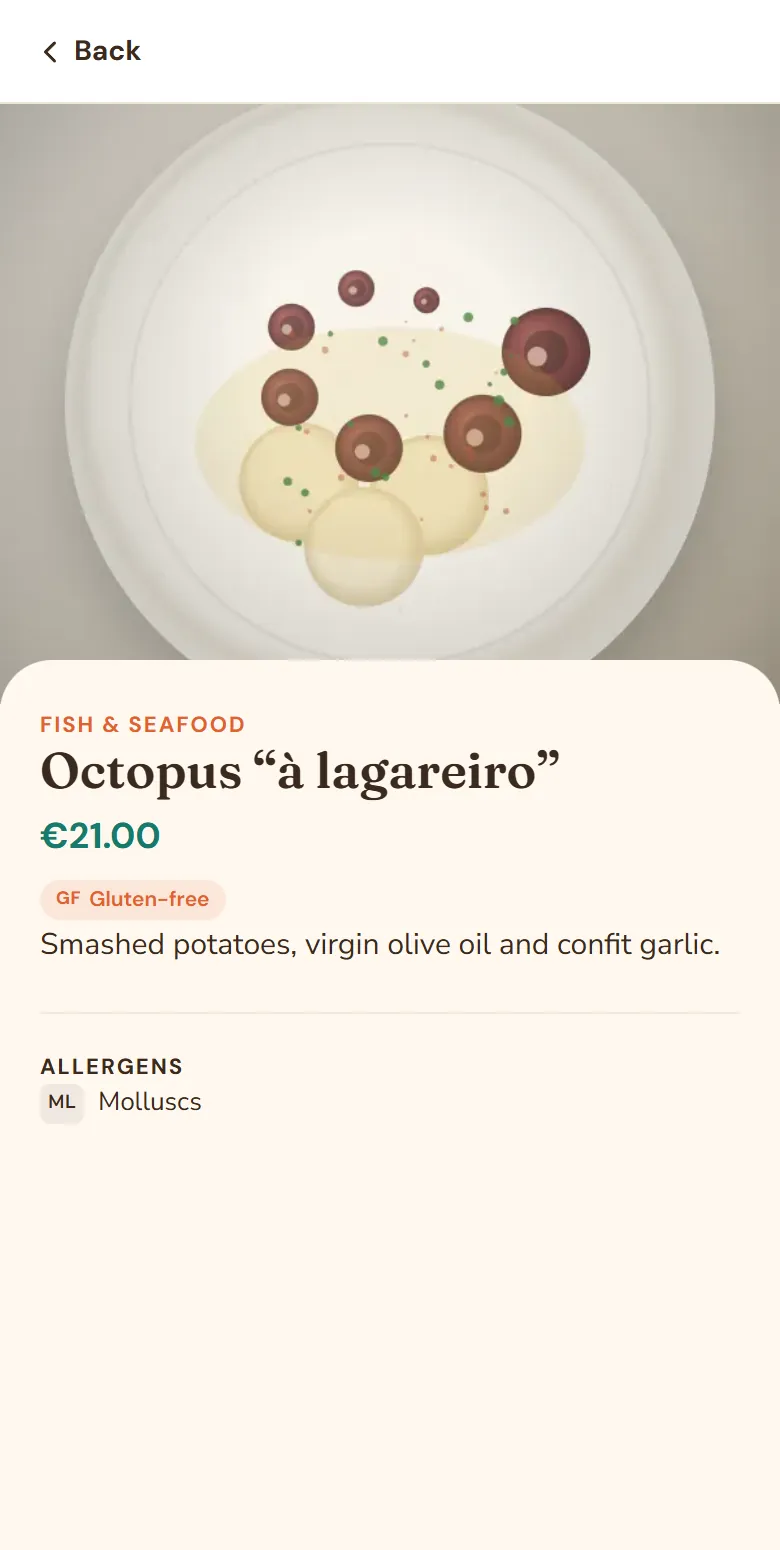
The 14 mandatory allergens are ticked with one tap on each dish and appear on the menu as codes and, in the dish details, with their full names — in the guest's language. We explain the rules in the 14 allergens your menu must show.
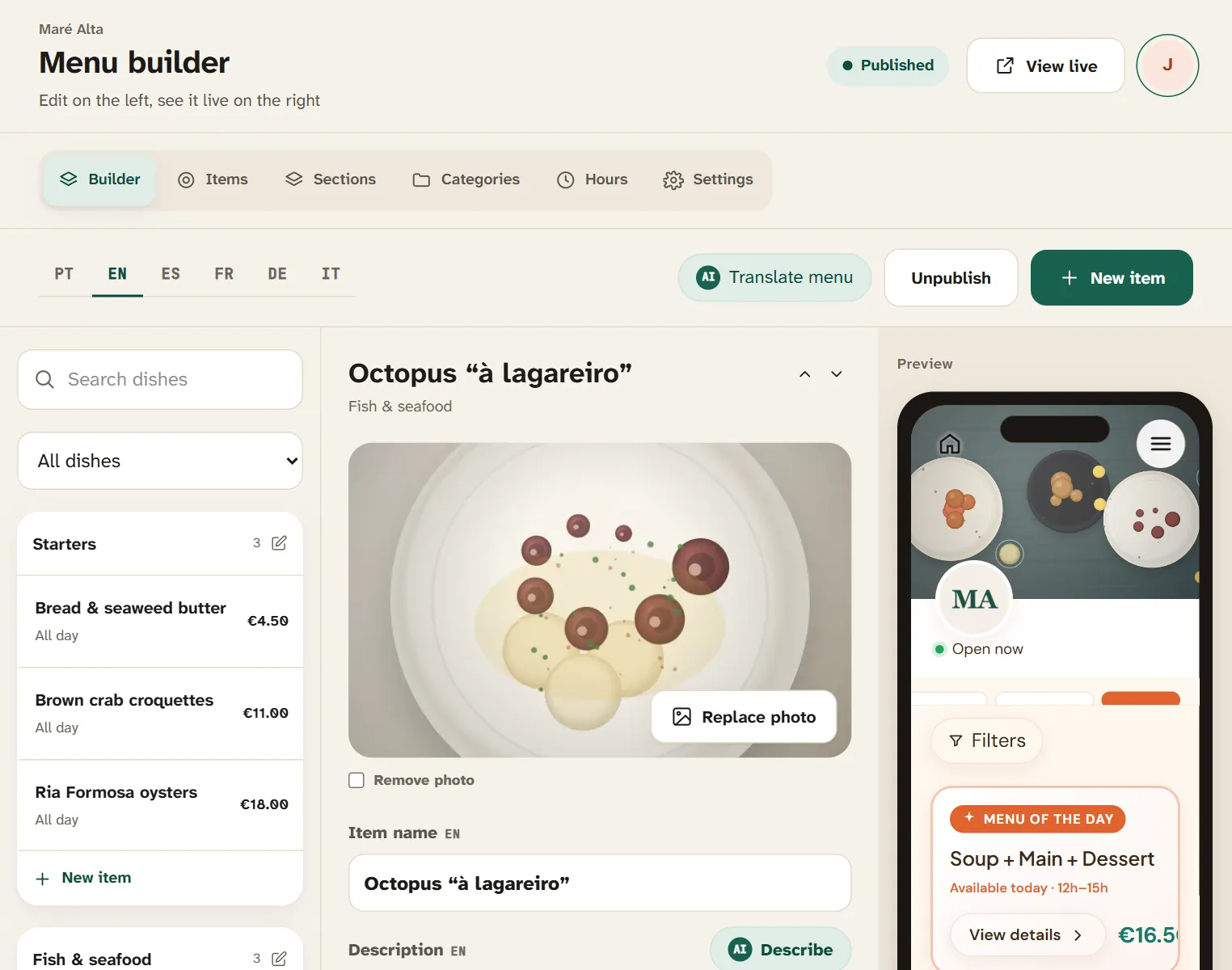
In the dish details, guests see the photo, description and allergens.
If you welcome a lot of tourists, the menu can be in Portuguese, English, Spanish, French, German and Italian. We share tips on translating well in how to translate your menu for tourists.
Buttons that bring guests in
Your menu can show buttons for WhatsApp, calling, directions, bookings and reviews — on Google, Tripadvisor, TheFork and other platforms. Someone standing at your door deciding where to eat can book a table without hunting for your number.
Learn what works
On the Pro plan you get analytics: how many people open the menu, your busiest hours, the most viewed dishes, the languages guests read in and the buttons they tap. It helps you decide which dishes to highlight and when to add staff.
Several restaurants, one account
If you run more than one venue, each has its own menu, design and QR code, and you switch between them without leaving your account. A volume discount applies from the second venue.
A checklist to get started
Create your restaurant profile and choose your languages.
Organise categories and, for a long menu, sections.
Add dishes, prices (glass and bottle included) and allergens.
Create lunch and dinner windows and link them to your categories.
Set up the menu of the day under Special menu.
Publish, download the QR code and put it on your tables.